MyStars Support Checklist for Telegram Stars Orders
If something goes wrong with a Telegram Stars order on MyStars, support does not need a long story first. It needs the exact checkout facts: delivery username, payment method, amount, current screen, and transaction proof if money was sent.
This checklist is for MyStars buyers who used the MyStars site, mini app, or bot flow to buy Telegram Stars with TON or USDT (TON). Use it before contacting support so your first message contains the details needed to find the payment and order state.
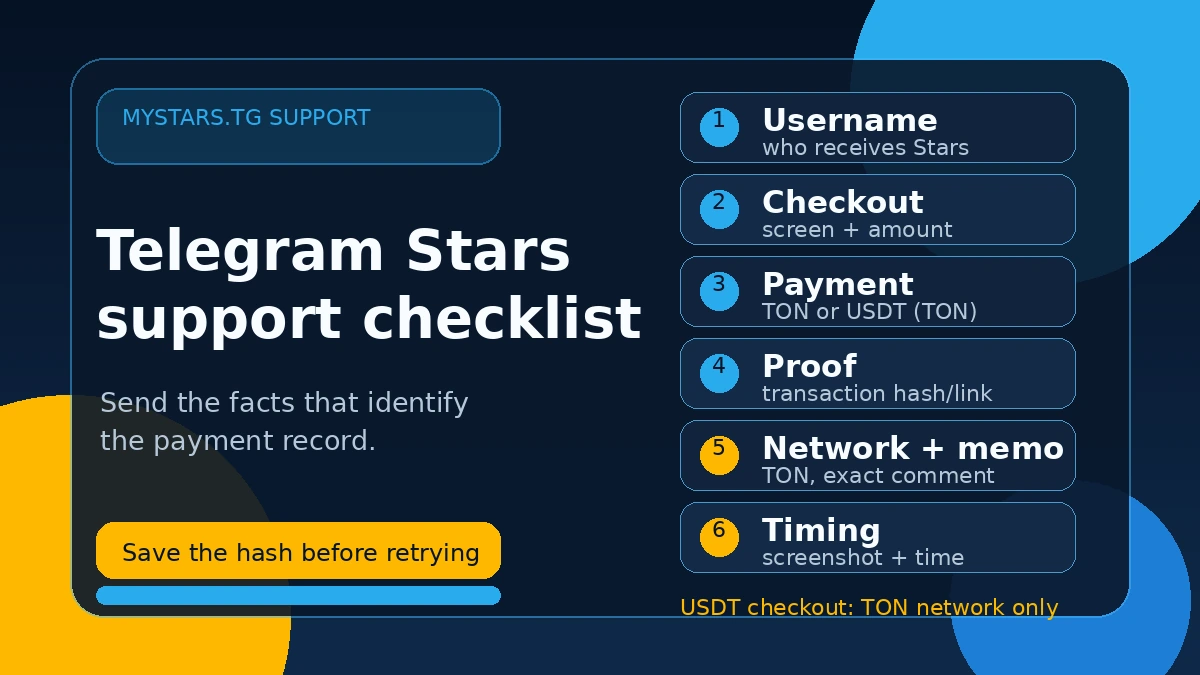
What MyStars actually shows during checkout
A normal MyStars Stars checkout has these steps:
- Choose a Stars package or enter a custom amount.
- In the price summary, choose a payment method:
TONorUSDT (TON). - Review the total. TON can show no MyStars processing fee; USDT (TON) can show a processing fee and a note such as
1% swap + 0.5 TON gas. Prices and fees can update live. - Confirm the delivery account in
Recipient's Username*. - After the account is confirmed, MyStars shows
✓ Confirmed Telegram accountand aPaybutton. - The payment modal opens as
Complete Your Payment. - The modal shows the Stars amount, recipient username, crypto total, and a rate timer of about 15 minutes.
- The normal path is
Connect Wallet. Manual payment is a fallback:copy address, amount, and comment.
That flow matters because support has to know where the problem happened: before username confirmation, before wallet approval, after a transaction was sent, after the timer ended, or after payment confirmation.
Quick support checklist
Before you message support, collect these details:
- Telegram username that should receive the Stars.
- Stars amount or package selected.
- Payment method exactly as shown:
TONorUSDT (TON). - Total amount shown by MyStars on the payment screen.
- Screenshot of the MyStars payment modal or order summary.
- Current MyStars status: waiting,
Payment Failed, payment confirmed, or another visible state. - Transaction hash or Tonviewer/wallet link, if a transaction was sent.
- Wallet or exchange used, if relevant.
- For manual payment: the exact address, amount, and comment/memo copied from MyStars.
- Approximate payment time and timezone.
- Screenshot of the wallet status or Telegram bot receipt, if you have one.
If you only send “payment failed” or “Stars did not arrive,” support has to ask for basic facts. If you send the checklist, the case can be checked faster.
First question: was a transaction actually sent?
Open your wallet or exchange history before contacting support.
There are three different cases:
- No transaction was sent. The wallet was not opened, you closed the payment modal, the timer ended, or you did not approve the transaction. In this case, create a fresh checkout and pay the new live payment screen.
- The transaction is pending. Wait until the wallet or block explorer shows a final status. Do not send a second payment to another checkout while the first transaction is unresolved.
- The transaction is confirmed. Save the transaction hash or link. This is the strongest proof support can use.
A failed payment screen with no transaction is not the same problem as a confirmed on-chain payment that did not match an order.
If the screen says Payment Failed
MyStars payment screens are time-limited. If payment is not detected before the timer ends, the user-facing state can show Payment Failed rather than Payment expired.
In the tested TON flow, the payment window was about 15 minutes. The failed state said that payment was not detected within the time limit and showed recovery actions such as trying again or trying another wallet.
What to do:
- If no funds were sent, do not reuse the old payment details. Start a fresh checkout with a new live payment screen.
- If funds were sent, do not pay again immediately. Save the transaction hash and contact support with the username, amount, payment method, current screenshot, and transaction link.
- If the old screen has expired, do not send money to old copied details from that screen.
For the full recovery path, read the Telegram Stars Payment Failed time-limit guide.
If you paid with USDT (TON)
For MyStars USDT checkout, the network rule is strict: MyStars accepts USDT on TON / The Open Network only.
Do not send USDT on TRC-20, ERC-20, BSC, Polygon, Solana, or any other non-TON network for this flow.
When contacting support about a USDT (TON) order, include:
- screenshot showing the
USDT (TON)payment method; - total amount shown by MyStars;
- transaction hash or wallet link, if sent;
- wallet or exchange used;
- whether the wallet transaction included the MyStars comment/memo;
- screenshot of the current MyStars status.
The USDT (TON) route can require TON for network gas. If your wallet cannot pay the TON gas fee, the wallet transaction may not complete even if the USDT amount looks correct.
If you are preparing a USDT payment, use the USDT on TON wallet checklist before sending funds.
If you use manual payment
The safer path is to connect a TON-compatible wallet and let MyStars prefill the payment. Manual payment is only a fallback.
If you pay manually, copy all payment details exactly from the active MyStars payment modal:
- address;
- amount;
- token;
- network;
- comment or memo.
The comment/memo is important. In wallet flows it can appear as an order comment such as a STARS:... value. Do not translate it, shorten it, add spaces, remove prefixes, or put it in a different field.
If you already sent a manual transfer with a missing or changed comment, do not send another payment to “fix” it. Save the transaction record and contact support with the full details.
If Stars did not arrive after payment
If your payment is confirmed but Stars are not visible yet, check:
- Was the delivery username confirmed correctly?
- Did you pay the latest active payment screen, not an old expired one?
- Did your wallet or exchange show a confirmed transaction?
- Was the payment method
TONorUSDT (TON)? - Did the transaction include the required comment/memo if paid manually?
- Did the bot send a
Stars deliveredreceipt or transaction link?
A wrong username, a pending transaction, an expired payment screen, and a missing manual comment are different support cases. The first message should make clear which one applies.
What screenshots help
Useful screenshots:
- MyStars price summary with payment method and total;
Recipient's Username*confirmation screen;Complete Your Paymentmodal with amount and timer;Payment Failedor waiting/confirmation state;- wallet transaction status;
- Tonviewer or wallet transaction link;
- Telegram bot receipt, if received.
Less useful screenshots:
- cropped wallet balance only;
- chat messages saying “paid” without transaction proof;
- screenshots with no amount, username, or time;
- public screenshots exposing private payment details.
Copy-paste support message
Hi, I need help with a MyStars Telegram Stars order.

Delivery username: @example
Stars amount/package: ...
Payment method shown by MyStars: TON / USDT (TON)
Total shown by MyStars: ...
Current MyStars status: waiting / Payment Failed / confirmed / other
Was a transaction sent? yes / no / pending
Transaction hash or link, if sent: ...
Wallet or exchange used: ...
Manual payment comment/memo, if used: ...
Approximate payment time and timezone: ...
Screenshots attached: payment screen / wallet status / receipt
What happened: ...
If no transaction was sent, say that clearly. If a transaction was sent but is pending, say pending. If it is confirmed, include the hash or link.
What not to do
Avoid these mistakes:
- sending a second payment while the first transaction is still pending;
- paying from an old payment screen after the timer ended;
- reusing copied address/amount/comment from a previous checkout;
- sending USDT on a non-TON network;
- changing the manual payment comment/memo;
- contacting support with no username, amount, payment method, or transaction proof;
- posting transaction details in a public chat.
Most messy cases become messy because there are multiple payment attempts and no clear record of which transaction should match which MyStars screen.
Bottom line
For MyStars support, the useful facts are simple: delivery username, Stars amount, payment method, total, current screen, transaction status, transaction hash if sent, and exact comment/memo if you paid manually.
If no transaction was sent, start a fresh checkout. If money was sent, save the transaction hash before doing anything else. If you paid with USDT, make sure it was USDT on TON. If you paid manually, the comment/memo must match exactly.
Buy Telegram Stars with crypto
Buy Telegram Stars with a fresh MyStars checkout — confirm the username, payment method, timer, wallet, and TON network before paying.
Buy Stars NowFAQ
What information does MyStars support need?
Support usually needs the delivery username, Stars amount, payment method, total shown by MyStars, current status screenshot, transaction hash if funds were sent, and exact comment/memo if you paid manually.
Is there a MyStars order ID I should send?
Send the clearest identifier you have: payment modal screenshot, transaction hash/link, bot receipt, or the exact payment comment/memo shown by MyStars. Do not invent an order ID if the screen does not show one.
Should I contact support if my wallet never sent a transaction?
Usually the fastest fix is to create a fresh checkout and pay the new live payment screen. Contact support if the screen is unclear, you are not sure whether funds were sent, or you have a transaction record.
Can I use USDT on TRC-20 or ERC-20 for MyStars?
No. MyStars USDT checkout uses USDT on TON / The Open Network only. Other USDT networks are not supported for this flow.
What if I forgot the manual payment comment?
Save the transaction hash or exchange withdrawal record. A missing or changed comment can prevent the payment from matching the order. Contact support with the full transaction details instead of sending another payment.
Is a screenshot enough proof of payment?
A screenshot helps, but a transaction hash or wallet/block explorer link is stronger. If money moved on-chain, the transaction record is the proof support needs most.
What should I do if I saw Payment Failed?
If no funds were sent, start a fresh checkout. If funds were sent, save the transaction hash and contact support with the checklist details.