USDT on TON for Telegram Stars: Wallet Payment Checklist
If you want to pay for Telegram Stars with USDT from a wallet, the network matters more than the token name.
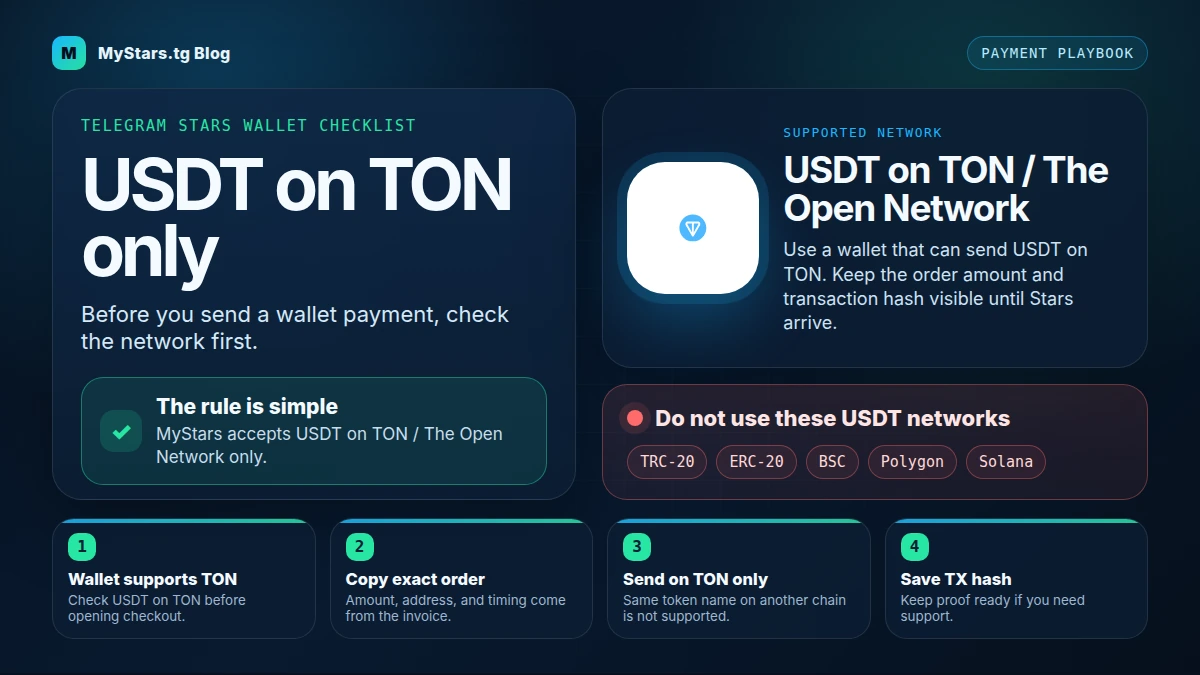
MyStars accepts USDT on TON / The Open Network only. TRC-20, ERC-20, BSC, Polygon, Solana, and other USDT networks are not supported for this checkout.
In the current checkout, the method is shown as USDT (TON). MyStars prepares a wallet payment, the wallet confirms a prefilled transaction, and the payment is completed after on-chain confirmation.
The one rule before you send USDT
USDT is a token name. It can exist on more than one blockchain.
For a MyStars USDT payment, the supported path is:
- token: USDT
- network: TON / The Open Network
- checkout label: USDT (TON)
- use case: buying Telegram Stars through the MyStars checkout
That means a wallet screen that says USDT TRC-20, USDT ERC-20, USDT BSC, USDT Polygon, or USDT Solana is not the same payment route.
If you are still deciding between paying with TON or USDT, read the TON vs USDT payment comparison first. If you already hold TON and want the simpler route, use the TON payment walkthrough.
Who this checklist is for
Use this checklist if:
- you already have USDT in a wallet;
- your wallet can send USDT on TON;
- you also have enough TON in the same wallet for network gas;
- you want to buy Telegram Stars without using an app-store purchase flow;
- you want a safer final check before approving a wallet transaction.
Skip this USDT route if your wallet does not show TON / The Open Network as a USDT network. Do not guess. Use a compatible wallet or switch to TON.
Before checkout: five checks
1. Your wallet can send USDT on TON
Open your wallet and look for USDT on TON / The Open Network. The wording may vary slightly by wallet, but TON must be the network.
If you only see TRC-20, ERC-20, BSC, Polygon, Solana, or another network, stop. That wallet route is not supported for this MyStars USDT checkout.
2. Your wallet has TON for gas
The USDT payment itself is paid in USDT, but the wallet may still need TON for the blockchain fee. For example, Tonkeeper can show a separate TON fee while the checkout payment method remains USDT (TON).
If your wallet has USDT on TON but no TON for gas, the payment may fail or never get to the confirmation step.
3. You understand what you are buying
Telegram Stars are used inside Telegram for digital goods and services, paid actions, creator content, mini apps, and similar flows. If you are still mixing up Stars, TON, and payment tokens, read Telegram Stars vs TON before paying.
4. You are ready to confirm the Telegram username
The checkout asks for the recipient's Telegram username before payment. Check that the confirmed account is the one that should receive the Stars.
Do not pay for the wrong username and try to fix it after the transaction is already on-chain.
5. You can save the transaction proof
After sending, keep the confirmed transaction link, bot receipt, amount, and order details. Store them privately. If you need help, those details are more useful than a screenshot with half the information missing.
Step-by-step: current USDT wallet flow
- Open MyStars and connect your TON wallet through TON Connect. Tonkeeper is one common option; your wallet screen may differ slightly.
- Choose the Telegram Stars package you want.
- In the price summary, select
USDT (TON)as the payment method. - Review the total. The USDT route may show a Stars subtotal, a processing fee, and a note about swap or TON gas. Prices and fees can update live.
- Confirm the recipient's Telegram username.
- Tap the Pay button for the displayed USDT total.
- In the payment popup, review
Complete Your USDT Payment. The normal wallet path asks you to send the payment from your wallet. A manual option may also be available, but it is not the default flow. - Open the wallet when Telegram/Tonkeeper asks for confirmation.
- Review the wallet transaction before approving it: amount in USDT, recipient, any order comment or memo, and the TON network fee.
- Approve the wallet transaction.
- Wait for MyStars to show on-chain confirmation.
- Keep the confirmed transaction link or the delivery receipt until the Stars arrive.
Do not change the network, amount, recipient, or comment/memo inside the wallet. The token name alone is not enough; the checkout must stay on USDT over TON.
Manual payment is a fallback, not the main path
The checkout can show a manual option such as Or pay manually — copy address, amount, and comment. Use that only if you intentionally choose the manual path.
If you pay manually, copy the exact address, amount, and comment from the current order. Do not reuse details from an older order, and do not type the comment from memory.
If you use the normal wallet path, the wallet should open with the transaction details already prepared. Your job is to review them, not rewrite them.
What not to do
Do not send USDT on TRC-20, ERC-20, BSC, Polygon, Solana, or any other non-TON network for this checkout.
Do not use an old address, old payment link, or old order comment from a previous order.
Do not round the payment amount manually unless the checkout explicitly tells you to.
Do not remove or edit the wallet comment/memo if the wallet shows one for the order.
Do not ignore the TON gas requirement. USDT on TON still moves on the TON network.
Do not close your wallet before you can recover the transaction link or receipt.
Do not post your order details or wallet screenshots in a public chat. If support asks for details, share only what is needed in the right support channel.
If something looks wrong
If the invoice or payment link expired, create a fresh order instead of paying an old one.
If the wallet shows a different network, stop and switch route. The safest fallback is usually paying with TON directly, using the TON payment walkthrough.
If the wallet asks for a TON fee and you do not have TON, add enough TON for gas or use a different route. Do not assume the USDT balance alone is enough.
If Telegram itself shows a region or app availability issue, that is a different problem from a wallet-network mismatch. Use the unsupported region guide to separate region limits from payment setup.
If you already sent a transaction and need help, keep the order details, wallet address, network, amount, transaction link or hash, and any MyStars bot receipt ready. Do not assume support can trace a payment without those details.
What happens after payment
After the wallet transaction is approved, MyStars waits for on-chain confirmation. The checkout can show a state like Waiting for Confirmation... before it marks the payment as confirmed.
When the payment is confirmed, MyStars can show Payment Confirmed and a link to view the confirmed transaction. The bot may also send a delivery receipt showing the Stars amount, paid amount, transaction link, timing, and delivery status.
If the final receipt says the Stars were delivered, keep it until you have verified the Stars on the receiving Telegram account.
Where Stars fit after payment
Once Stars are available, you can use them across Telegram flows that support Stars. A common buyer use case is unlocking creator content, including paid media with Stars.
The payment route and the Stars use case are separate decisions. First make sure the USDT network is TON. Then decide where you want to spend the Stars.
Final checklist
Before you approve the wallet transaction, confirm:
- the checkout is on MyStars;
- the recipient Telegram username is correct;
- the payment method is
USDT (TON); - the wallet can send USDT on TON;
- the wallet has enough TON for gas;
- the amount matches the current order;
- the recipient and any order comment/memo are unchanged;
- the payment link has not expired;
- you can save the transaction proof after sending.
If one of these checks fails, stop and fix it before paying.
Buy Telegram Stars with crypto
Buy Telegram Stars with USDT on TON — check the network before you send.
Buy Stars NowFAQ
Can I pay for Telegram Stars with USDT on TRC-20?
No. For MyStars USDT checkout, use USDT on TON / The Open Network only. TRC-20 is not supported for this flow.
Can I use ERC-20 USDT?
No. ERC-20 USDT is a different network route. MyStars accepts USDT on TON only for this checkout.
What if my wallet does not show TON for USDT?
Do not send from that wallet route. Use a wallet that supports USDT on TON, or pay with TON directly instead.
Why does the wallet show a TON fee if I am paying in USDT?
USDT on TON is still sent over the TON network. The USDT amount pays for the order, while TON can be needed for the network fee.
Is USDT on TON the same as TON?
No. TON is the network and its native coin. USDT on TON is the USDT token issued on The Open Network. If that distinction is still confusing, read Telegram Stars vs TON before paying.
Should I pay with TON instead?
Use TON if you already hold TON or want the simpler native-network flow. Use USDT on TON if you prefer paying in a stablecoin and your wallet clearly supports it. The TON vs USDT payment comparison explains the trade-off.
Does this checklist apply to Telegram Premium too?
The same network discipline matters when a checkout asks for USDT on TON. If your goal is Premium rather than Stars, start with the guide to buy Telegram Premium with crypto.
What should I save after sending the payment?
Save the transaction link or hash, order details, amount, network, wallet address, and any MyStars bot receipt. Keep them private unless support asks for them.