How Telegram Paid Media Works with Stars: Buyer Guide
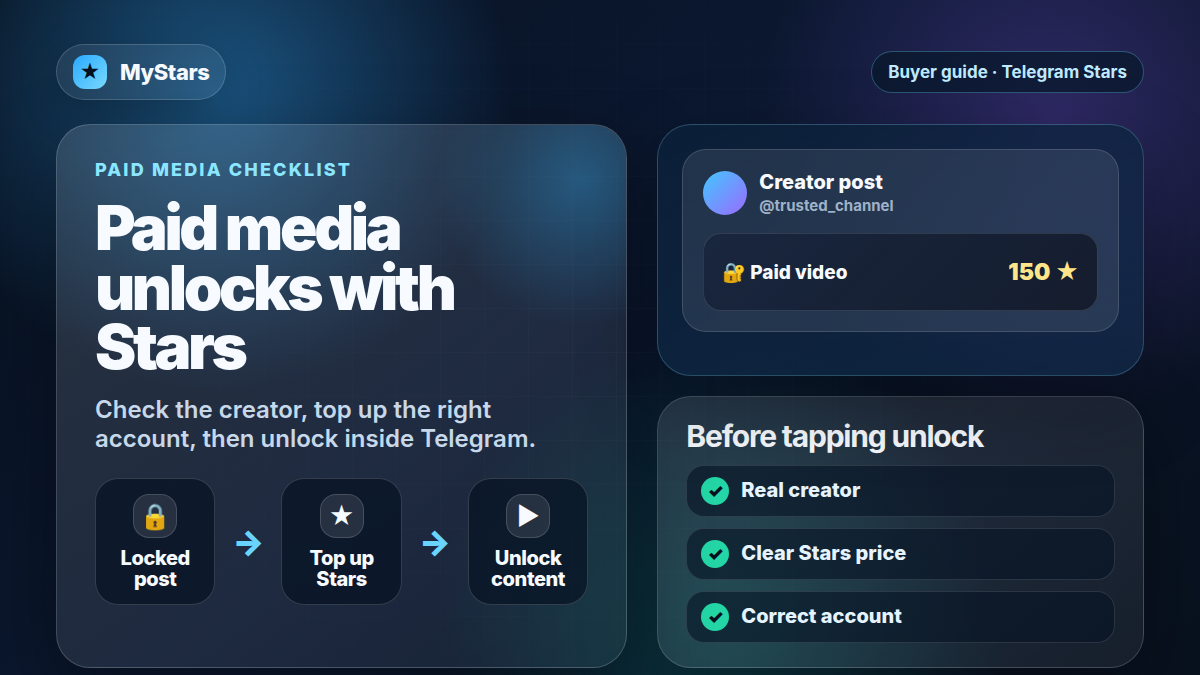
Telegram paid media is simple from the buyer side: a creator, channel, bot, or business account can put photos or videos behind a Stars unlock. If you want to view that media, you spend Telegram Stars inside Telegram.
That makes Stars more than a general in-app balance. They are the unit you may need when a creator posts premium media, when a bot sells digital content, or when a mini app charges for a digital feature. If you are still new to the balance itself, start with what Telegram Stars are, then come back to this buyer checklist.
The quick answer
Telegram paid media lets creators and Telegram-powered services sell access to digital content with Stars. A typical buyer flow looks like this:
- You see locked media in Telegram.
- Telegram shows the Stars price before you unlock.
- You check the creator, channel, bot, or business account.
- You make sure your Stars balance is enough.
- You unlock the media inside Telegram.
- You keep a screenshot or message reference if something looks wrong.
Do not treat paid media like a normal public post. Once you unlock content, the purchase decision has already happened. Slow down before tapping if the source, price, or promise looks suspicious.
Buy Telegram Stars with crypto
Top up Telegram Stars on MyStars before unlocking paid media.
Buy Stars NowWhat counts as paid media on Telegram?
Paid media usually means locked photos or videos that require Stars before you can view them. Telegram introduced paid photos and videos for channels, then expanded paid media features to bots and Business accounts.
For buyers, the important part is not the technical setup. The important part is the surface where you are spending Stars:
- A creator channel may post locked photos or videos.
- A bot may sell access to digital media or a digital service.
- A Telegram Business flow may use paid media for customer-facing content.
- A mini app may charge Stars for a digital item, feature, or service.
These are all digital Telegram experiences. They are different from buying physical goods, and they are different from buying Telegram Premium.
Paid media vs mini apps vs Premium
Telegram Stars can appear in a few different places, so it helps to separate them.
Paid media is usually about unlocking a specific photo, video, or media post. Mini apps use Stars for digital goods, services, game items, features, or access. Premium is Telegram’s subscription product for account perks.
If your goal is to unlock a creator post, you need Stars. If your goal is to buy a mini app feature, read the guide to pay for Telegram mini apps with Stars. If your goal is account perks such as Premium features, use the Stars vs Premium comparison before paying.
Before you unlock paid media
Run this checklist before spending Stars:
1. Check the source
Look at the channel, creator, bot, or business account. Is it the real profile you intended to follow? Does the username match? Is the content being promoted by a trusted source, or did it arrive through a random forwarded message?
Paid media works best when you already trust the creator. If the account is new, impersonating someone else, or pushing urgent claims, treat the offer carefully.
2. Check what is actually promised
A locked preview does not always tell the full story. Read the caption, surrounding messages, and any terms written by the creator. If the post promises guaranteed profit, private investment access, leaked content, or anything that sounds illegal or unsafe, do not unlock it just because the Stars price is small.
Stars are easy to spend. That is useful for normal creator content, but it also means low-friction bad purchases are possible.
3. Check the Stars price
Telegram should show the Stars price before the unlock. Make sure the amount makes sense for the content and for your own budget.
If you need more Stars, top up first, then return to Telegram and unlock from the original post or flow. Do not create several unrelated purchase attempts while trying to reach the same media.
4. Check whether you are buying media or something else
Sometimes the post is just media. Sometimes it is part of a larger bot, mini app, subscription, or community funnel. Know which one you are entering.
If the next step is a mini app purchase, the mini apps Stars guide is more relevant. If the next step is a creator channel or paid media post, this guide is the right checklist.
How to top up Stars for paid media
If your balance is too low, buy Stars before you unlock the paid post. On MyStars, choose the amount you need, complete checkout, and confirm that the Stars landed on the right Telegram account.
After the top-up, go back to the original Telegram post or flow. Do not rely on screenshots or forwarded copies. Unlock from the actual source so you know which creator, bot, or account receives the Stars.
If you are comparing what Stars are versus crypto payment rails, read Stars vs TON. Stars are the balance you spend inside Telegram. TON or other supported checkout methods are ways to pay for that balance before you use it.
Mistakes to avoid
- Unlocking paid media from an impersonator account.
- Tapping unlock before checking the Stars price.
- Assuming Telegram Premium replaces Stars for paid media.
- Buying Stars for the wrong Telegram account.
- Unlocking a forwarded or copied post without checking the original source.
- Treating every locked post as trustworthy because Telegram supports the payment flow.
- Spending Stars on investment, trading, or “guaranteed earnings” promises without verification.
- Opening several top-up orders and then losing track of which account you funded.
Troubleshooting
I topped up Stars, but the paid post still asks me to pay
Check that the Stars were added to the same Telegram account you are using to unlock the media. If you bought Stars for another account or recipient, the paid post will not see that balance.
I unlocked media and it was not what I expected
Save the post link, creator username, payment context, and screenshots. Whether support can help depends on the specific Telegram surface and the creator’s own terms. The best protection is checking the source and promise before unlocking.
I cannot unlock from my region or device
Some Telegram features, payment routes, or app-store flows may vary by region and device. If you are seeing availability errors around Stars or Premium, read the country restrictions guide and the unsupported region error guide.
I bought Telegram Premium, but paid media still costs Stars
Premium and Stars are different. Premium gives account subscription perks. Stars are spent on digital goods, mini apps, paid media, and creator flows. If a paid post asks for Stars, Premium alone does not unlock it.
FAQ
Does Telegram paid media use Stars?
Yes. Telegram paid media is designed around Stars for unlocking digital photos, videos, and related Telegram content flows.
Can I unlock paid photos and videos with Stars?
Yes, when the creator, channel, bot, or business account offers paid media through Telegram’s Stars flow. Always check the price and source before unlocking.
Do I need Telegram Premium for paid media?
No. Telegram Premium and Telegram Stars are separate. Premium is a subscription for account perks. Stars are the balance used for paid digital content and services inside Telegram.
Can creators earn from paid media?
Telegram has described paid media, Star reactions, subscriptions, and related creator tools as ways for creators to receive Stars and use earned Stars for rewards or Telegram Ads. Exact availability and payout details can vary, so creators should check Telegram’s current official docs.
Should I top up Stars before opening paid media?
Top up only when you know the account, price, and content source. If you trust the creator and want the media, keeping a Stars balance makes unlocks faster.
Can I pay for Telegram paid media with TON or USDT directly?
Inside Telegram, paid digital content uses Stars. TON or USDT may be used on services like MyStars to buy the Stars balance first, but the in-Telegram unlock is still paid with Stars.
Final checklist
Before unlocking paid media, confirm:
- The source is the real creator, channel, bot, or business account.
- The Stars price is clear.
- The media promise is specific and not suspicious.
- The Stars balance is on the correct Telegram account.
- You understand whether this is a one-time media unlock, mini app purchase, subscription, or another flow.
- You are spending Stars inside Telegram, not buying Telegram Premium.
Buy Telegram Stars with crypto
Top up Telegram Stars on MyStars before unlocking paid media.
Buy Stars Now