Telegram Gifts and Stars: How to Convert Gifts to Stars and Buy Safely
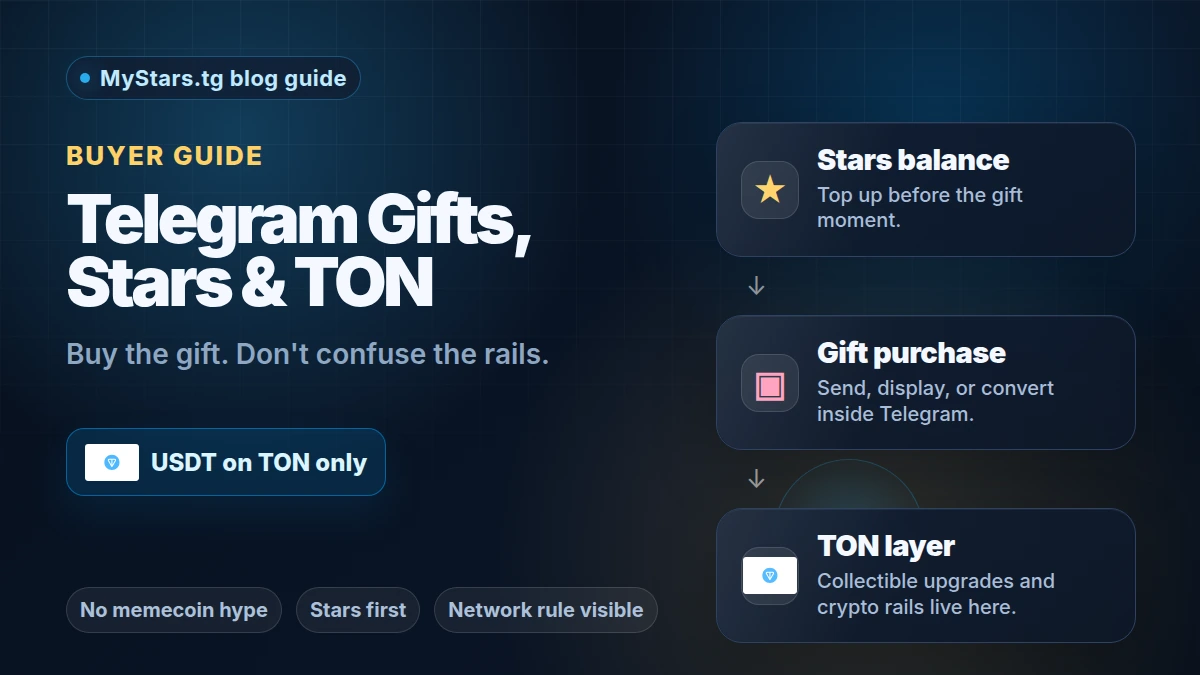
Telegram Gifts are easy to send, but the payment path is easy to mix up. The short version: Stars are the in-app balance, Gifts are what you send or display, and TON sits underneath collectible upgrades and crypto rails.
If you top up through MyStars with USDT, use USDT on TON / The Open Network only. TRC-20, ERC-20, BSC, Polygon, Solana, and other USDT networks are not supported for this checkout.
This guide is for buyers who want to send a gift without guessing which balance, wallet, or network matters.
The quick version
- Telegram Gifts are sent inside Telegram.
- Telegram's own Gifts announcement says users can send gifts for Telegram Stars and recipients can display them or turn them into Stars.
- Telegram's collectible Gifts update says some gifts can be upgraded, transferred, or auctioned, and that upgrading costs Stars to cover blockchain fees.
- TON is important, but it is not the same thing as a Stars balance. If that distinction is still fuzzy, read the short guide on why Stars and TON are not the same thing.
- Before you try to send a gift, make sure your Stars balance is ready. If you are new to the balance itself, start with what Telegram Stars are.
How to convert Telegram Gifts to Stars
Most of the questions we see about Gifts are really this one, so here is the direct answer. Converting turns a gift you received back into Stars on your balance:
- Open the gift — tap it in the chat where it arrived, or open the Gifts section on your profile.
- Look for Convert to Stars on the gift's card. Telegram shows the exact amount you will get, and it is less than what the gift cost to send — that is how Telegram prices conversions, not a bug.
- Confirm. The Stars land on your Stars balance immediately, and the gift disappears from your profile.
- Spend them anywhere Stars work: new gifts, paid media, bots, boosts.
If you do not see the convert option, there are three usual reasons:
- The conversion window has passed — Telegram only allows converting for a limited time after the gift is received.
- The gift was upgraded into a collectible or bought at a gift auction — those no longer convert.
- The gift simply is not convertible — the gift screen is the source of truth.
Converting is for gifts you already received. If you just need more Stars right now, it is faster to top up your balance than to round-trip a gift.
What actually pays for what
Think of the flow in layers.
Stars balance
Stars are the Telegram balance used for digital actions inside Telegram. Gifts, paid media, mini app purchases, bot actions, and creator support can all depend on this balance in different ways.
For a gift buyer, the practical question is simple: do you have enough Stars before you tap send?
Gift purchase
The gift is the thing the recipient receives. It may be displayed on their profile, kept as a normal gift, or, depending on the gift and current Telegram options, upgraded into a collectible.
Do not treat every gift as a trading asset. Sometimes a gift is just a gift, and that is fine.
TON layer
TON enters the picture around collectibles, transfers, auctions, and crypto funding. It is also relevant if you top up Stars with crypto before buying.
If you are choosing a crypto route, compare TON vs USDT for Telegram Stars before you pay. If you already hold TON, the direct path is usually to buy Telegram Stars with TON.
Before you buy a Telegram Gift
Check these four things first.
-
Check the recipient. Make sure you are sending the gift to the right account. A gift is a social action, so a wrong username is more awkward than a normal balance top-up.
-
Check the Stars amount. Open the gift flow and confirm how many Stars you need. If your balance is short, top up before you start rushing through payment screens.
-
Choose the funding route. If you pay with TON, use a wallet that can send TON on the TON network. If you pay with USDT through MyStars, use a wallet that can send USDT on TON only.
-
Decide whether collectibles matter. If you only want to send a nice gift, do not overthink the collectible layer. If you care about transfer or auction options, check Telegram's current gift details before spending extra Stars.
Step-by-step gift flow
-
Pick the recipient in Telegram. Open their profile and start from Telegram's gift option, not from a random token link or social post.
-
Pick the gift. Look at the Stars cost, the design, and whether Telegram shows any upgrade or collectible option.
-
Check your Stars balance. If you already have enough Stars, send the gift. If not, top up first.
-
Top up through MyStars if you need more Stars. Use MyStars to prepare the balance before the gift moment. If you use USDT, remember the network rule: MyStars accepts USDT on TON only.
-
Send the gift in Telegram. Once your balance is ready, return to Telegram and complete the gift action.
-
Handle collectibles separately. If you upgrade or trade a collectible gift later, treat that as a separate decision. Check transfer rules, fees, and market context. Do not rely on social hype alone.
Decision branches
If you only want to congratulate someone
Send a normal gift. You mainly need the right recipient and enough Stars. Ignore token chatter.
If you are collecting or tracking gift prices
Read the gift details before upgrading. For market watching, use a separate resource such as the Telegram Gifts market tracking and community notes. Keep that separate from the simple act of sending a gift.
If your Stars balance is too low
Top up first. A payment scramble is where people choose the wrong wallet, wrong network, or wrong account.
If you are paying with USDT
Use USDT on TON / The Open Network only on MyStars. Do not send USDT from TRC-20, ERC-20, BSC, Polygon, Solana, or another network. Those rails are not supported in this flow.
If someone tells you a gift trend means a token will pump
That is not a gift purchase. That is speculation. A Telegram Gift, a Stars balance, TON, and a memecoin are different things.
Mistakes to avoid
- Buying a random TON token when you meant to send a Telegram Gift.
- Waiting until the last step to top up Stars.
- Sending USDT on TRC-20, ERC-20, BSC, Polygon, Solana, or another non-TON network to a MyStars USDT checkout.
- Confusing a normal gift with a collectible gift.
- Assuming every collectible has resale value.
- Sending a gift to the wrong username.
- Ignoring Telegram's current gift details before upgrading.
Troubleshooting
Telegram says you do not have enough Stars
Likely cause: your Stars balance is below the gift price.
Fix: top up Stars first, then return to the gift screen. If you top up with crypto, use a compatible TON wallet. For USDT on MyStars, use USDT on TON only.
You have TON, but Telegram still asks for Stars
Likely cause: TON and Stars are not the same balance.
Fix: use TON to fund a Stars top-up if that is your chosen route, then complete the gift purchase with Stars inside Telegram.
You see a collectible upgrade option and are not sure whether to use it
Likely cause: you are mixing a social gift decision with a collectible/market decision.
Fix: send the normal gift if the goal is simple. Upgrade only if you understand the extra Stars cost, transfer rules, and market risk.
A social post says Telegram Gifts are connected to a hot token
Likely cause: trend attention is being used as token marketing.
Fix: separate the action. Sending a gift requires Stars. Buying a token is a different risk decision.
FAQ
Do I need TON to send a Telegram Gift?
Usually, you need enough Telegram Stars for the gift flow. TON matters if you fund the Stars top-up with crypto or if you are dealing with collectible upgrades, transfers, or auctions.
Can I pay for Telegram Gifts with USDT?
Inside Telegram, gifts are tied to Stars. You can use MyStars to top up Stars with crypto before sending the gift. If you use USDT on MyStars, it must be USDT on TON / The Open Network only. Other USDT networks are not supported.
Are Telegram Gifts the same as NFTs?
Not by default. Telegram says gifts can be displayed or turned into Stars, and some gifts can be upgraded into collectibles. Treat the collectible layer as optional and check the current gift details before spending extra Stars.
What happens if I do not have enough Stars?
You need to top up before sending the gift. The cleanest flow is to prepare the Stars balance first, then return to Telegram and send the gift without switching wallets under pressure.
Should I buy a TON memecoin because Telegram Gifts are trending?
That is a separate speculative decision. This guide is about sending Telegram Gifts safely. Do not confuse a gift purchase with a token bet.
Final checklist
- Recipient is correct.
- Gift and Stars cost are clear.
- Stars balance is ready.
- TON and Stars are not being treated as the same thing.
- If paying with USDT on MyStars, the network is TON / The Open Network only.
- No TRC-20, ERC-20, BSC, Polygon, Solana, or other non-TON USDT rail is used.
- Any collectible upgrade is a separate, deliberate choice.